


Play Free Mahjong Solitaire Online
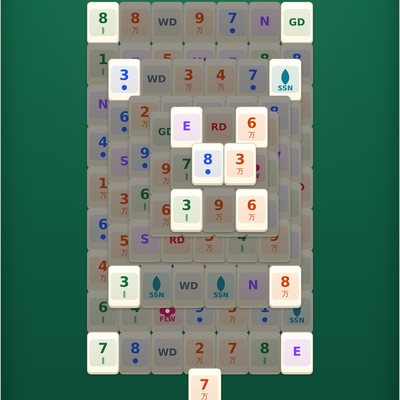
This free mahjong solitaire game brings the classic tile-matching puzzle to your browser — no download, no installer, and no account required. If you remember the mahjong tile game that used to come bundled with Windows, laying out 144 tiles in a turtle-shaped stack, this will feel instantly familiar. Just open the page and start matching tiles.
Every board is generated to be fully solvable, so you'll never get stuck with a puzzle that can't be finished. There's no time limit and no countdown clock pushing you to hurry — play at your own pace, on your phone, tablet, or desktop. Tap Full Screen at any time to fill your whole display and remove distractions.
Tiles are extra large and clearly color-coded by default, with unlimited undo and a hint button whenever you want a nudge, so getting stuck is never frustrating.
How to Play Mahjong Solitaire
The goal is to remove all 144 tiles from the board by matching them in pairs.
- Match tiles: tap a tile to select it, then tap a matching tile to remove both. Flower tiles all look the same and match with any other flower, and season tiles all look the same and match with any other season — so there's nothing to compare, any two flowers or any two seasons are always a pair. Everything else must match exactly.
- Only open tiles can be selected: a tile is selectable only if nothing is stacked on top of it, and at least one side (left or right) is free. Open tiles look brighter; locked tiles look dimmer.
- Undo as many moves as you like, with no limit.
- Hint highlights one matching pair if you're stuck deciding what to do next.
- Automatic shuffle: if no more matches are available, the remaining tiles shuffle into a fresh, solvable layout on their own and play continues — undo works afterward too, even to undo the shuffle itself.
Frequently Asked Questions
Is Mahjong Solitaire free to play?
Yes. This mahjong solitaire game is completely free to play, with no purchases, subscriptions, or hidden fees.
Do I need to download anything?
No download is required. It runs directly in your web browser on desktop, tablet, or phone — just open the page and play.
Is there a time limit?
No. There is no time limit and no countdown. A small timer quietly tracks your play time if you want to see it, but you can take as long as you like, and you can hide the timer entirely in Settings.
Can I undo a move?
Yes, undo is unlimited. You can step back through your entire move history, including after a shuffle.
Does it save my game?
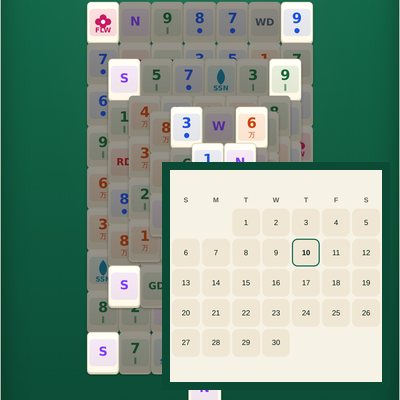
Yes. Your board, move history, and elapsed time are saved automatically in your browser, so you can close the tab and pick up right where you left off.
What happens if I get stuck with no matching tiles left?
If no more matching pairs are available, the tiles automatically shuffle into a new solvable arrangement and the game continues — you don't need to press anything. If you'd rather not shuffle, undo works afterward too, even undoing the shuffle itself to get back the board as it was. In the rare case a solvable rearrangement can't be found, you'll be prompted to start a new game.
Can I play in full screen?
Yes, use the Full Screen button to expand the board to fill your entire screen, which many players find easier on the eyes.