




Play Five in a Row Free Online
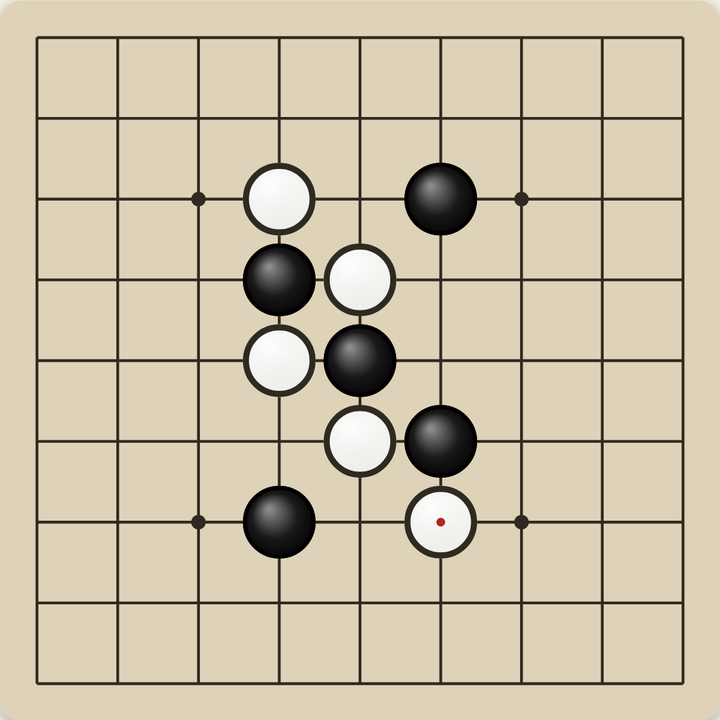
This is an easy five in a row game that runs straight in your browser — no download, no installer, and no account required. You place stones on a board and try to line up five of them before the other side does. The rules take about ten seconds to learn, which is why the game has stayed popular for well over a century. It is also known as gomoku, or five-in-a-row.
Everything here is built to be easy to see and easy to tap. It is deliberately a large board game for seniors: the default board is the smallest one, so every square is big, and the lines and stones are high-contrast with heavy outlines rather than thin grey strokes. Buttons are oversized, every one of them has a word on it rather than just an icon, and Undo, Hint, New game and Settings all stay on screen instead of hiding behind a menu.
There is no time limit, no countdown, and no score to protect. Undo is unlimited, hints are unlimited, and nothing is locked behind a level or an achievement. If you are looking for free online games for seniors, no download and no sign-up, this one asks nothing of you but a tap to begin — and it remembers your board if you close the tab.
How to Play Five in a Row
The goal is to get five of your stones in an unbroken row — across, down, or diagonally. You and the computer take turns placing one stone at a time on any empty spot. Whoever lines up five first wins the round.
- Take your turn: tap an empty spot on the board. On a touch screen your first tap puts down a see-through stone, and tapping the same spot again — or pressing Place stone — makes it final. That way a mis-tap costs you nothing.
- Watch for the warning: if the other side could get five on their very next turn, those spots are ringed on the board and the line above it says so in words. Blocking one of them is usually your best move.
- Undo as many times as you like, with no limit. One press takes back your move and the computer's reply together.
- Hint suggests a spot and tells you why it is a good one, as often as you want to ask.
- Settings lets you change the board size, pick from three board colours, slow the computer down or speed it up, and play against another person instead.
Frequently Asked Questions
Is Five in a Row free to play?
Yes. This five in a row game is completely free to play, with no purchases, subscriptions, or hidden fees.
Do I need to download anything?
No download is required. It runs directly in your web browser on desktop, tablet, or phone — just open the page and play. There is no app to install and no account to create, which makes it one of the simpler free online games for seniors, no download needed.
How do you win at five in a row?
You win by getting five of your stones in an unbroken line — across, down, or diagonally. You and the computer take turns placing one stone at a time, and whoever lines up five first wins the round.
Is there a time limit?
No. There is no time limit, no countdown, and no clock anywhere on the screen. Take as long as you like over each move.
Can I undo a move?
Yes, undo is unlimited. One press takes back your last move and the computer's reply together, and you can keep pressing it all the way back to an empty board.
Is it easy enough for a complete beginner?
Yes. The computer starts on its most relaxed setting, which plays gently and makes mistakes so rounds stay close. The board also marks any spot where the other side could get five on their next turn, so you are never caught out by a move you did not see coming.
Can I make the board easier to see?
The board is already a large board game for seniors by default — the smallest board, the biggest squares, high-contrast lines and stones with heavy outlines. In Settings you can switch between three board colours, and turn on a step that asks you to confirm each move before it is final.
Does it save my game?
Yes. Your board and move history are saved automatically in your browser, so you can close the tab and pick up right where you left off.